# Finding a specific transaction
To locate a specific transaction, head to the **Transactions** option in the Verofy® App.

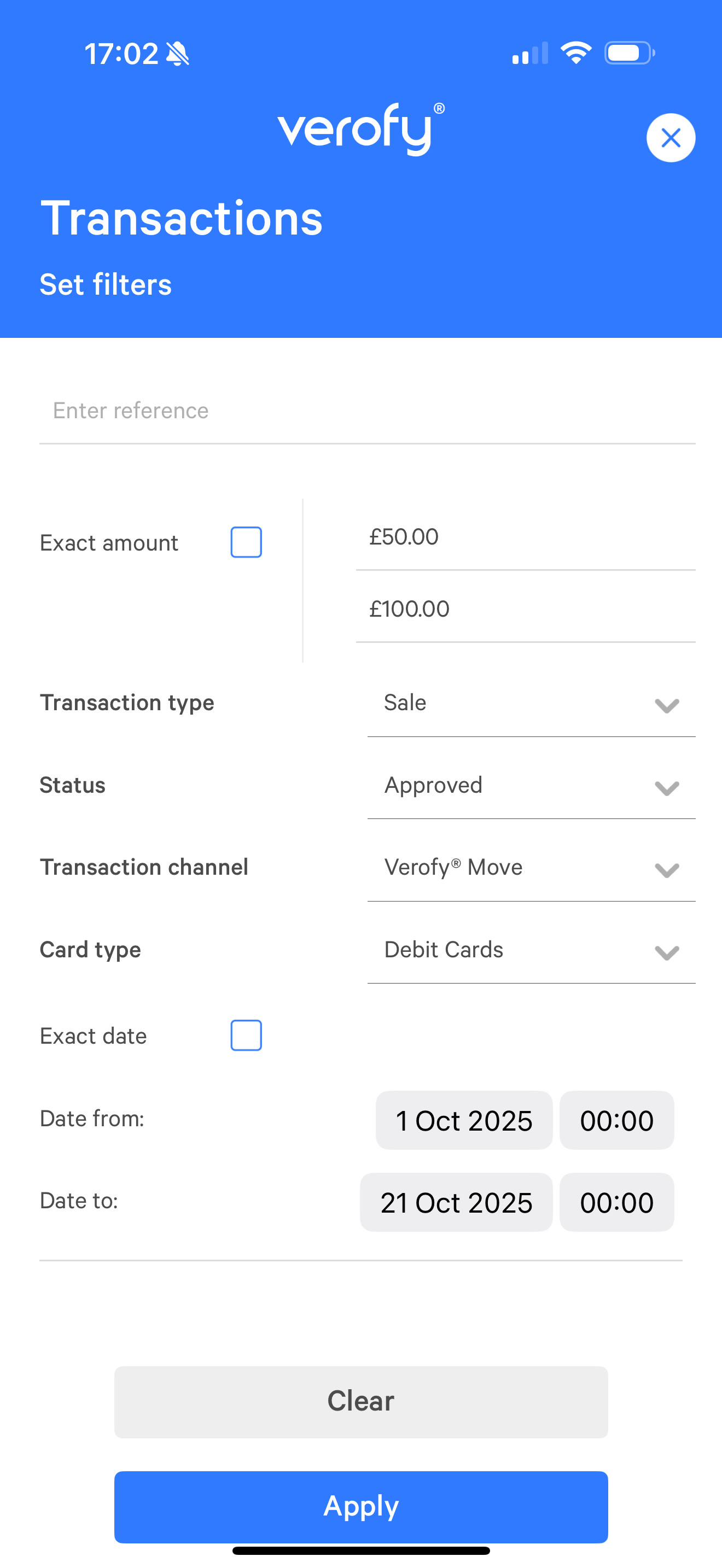
Select the **filter button in the top right of the page to open the advanced options for filtering a transaction.

You can find transactions by searching by the transaction reference, by a specified or range amount, or by the transaction type, status, chanel and card type. You can also filter by a specific date, or between date ranges. In the example below, the user is looking for approved sale transactions between £50 and £100 taken on their Verofy® Move that were debit cards, between the 1st October and 21st October.
Click to find out how to [**email a copy of the receipt to your customer**](https://verofy.support/books/navigating-verofy-app/page/email-a-receipt) or [**request support for a specific transaction**](https://verofy.support/books/navigating-verofy-app/page/request-support-for-a-transaction).
If you are having trouble finding a specific transaction, or need support - **[contact us](https://verofy.support/shelves/getting-in-touch)**.