
Access and complete your Verofy® PCI+
It's quick and easy to complete your PCI compliance in the Verofy® App, if you need any help you can follow the steps below! If you are still struggling to complete this, then get in touch with us and one of our support team will be on hand to help!
We'll let you know once it's time to complete your PCI compliance - you'll receive SMS and email reminders about completing this before the deadline. You might also see a pop up when you access the Verofy® App to notify you when it's time to complete your PCI.
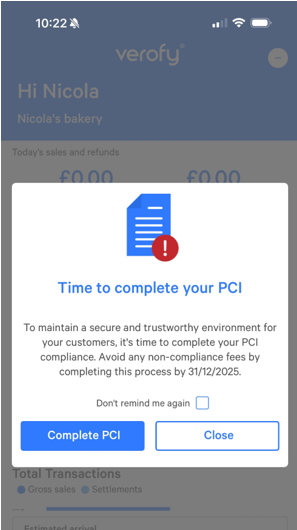
If you don't see the pop up, then you can follow the steps below to find and complete your PCI compliance.
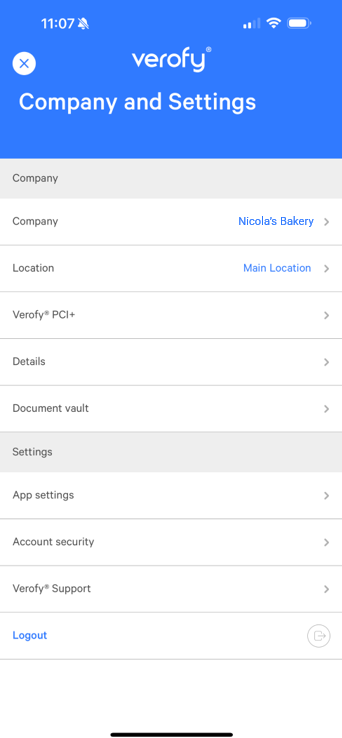
- Start by logging into the Verofy® App, then pressing the ... button at the top right of the screen.

- From here, select the Verofy® PCI+ option. you're currently logged into. You'll see a list of all the different the companies, and you can select which one you want to view. The app will then update to display the information about this specific business.
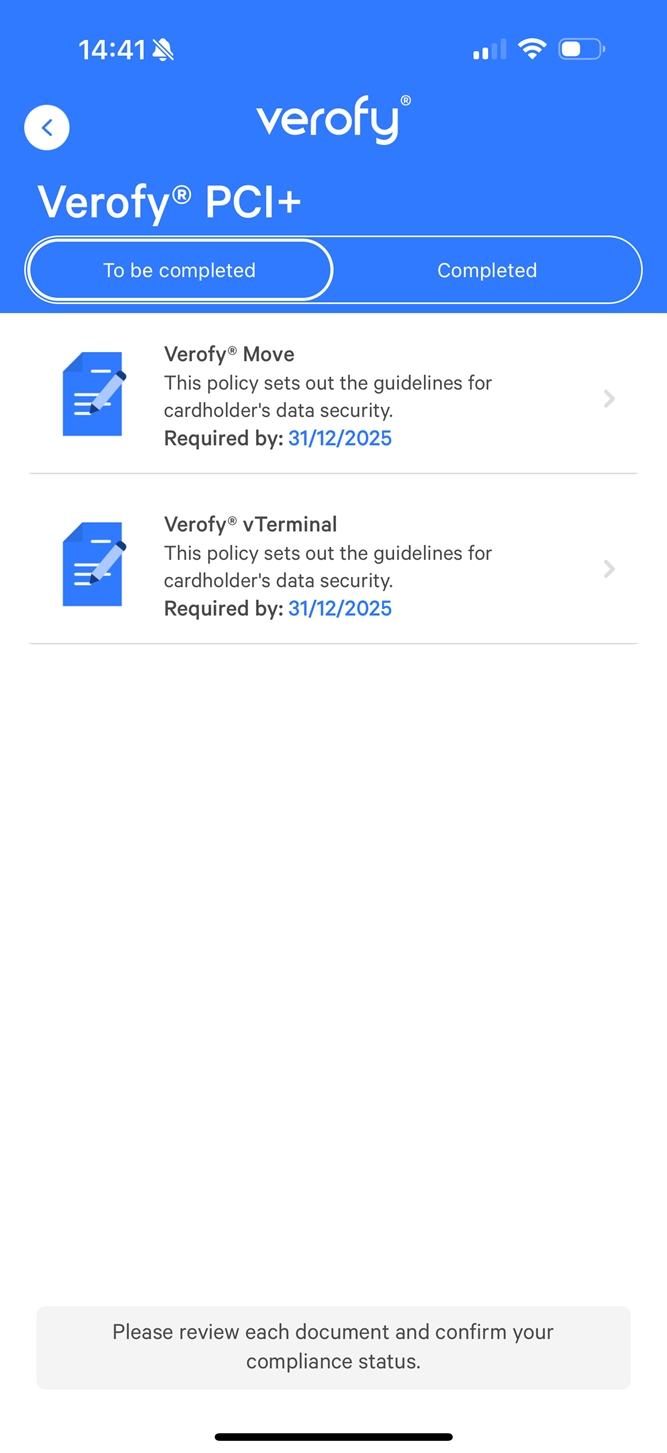
- From here, you'll see a list of how many documents you need to complete (there is one per Verofy product). In this example, the user has a Verofy® Move device as well as a Verofy® vTerminal.
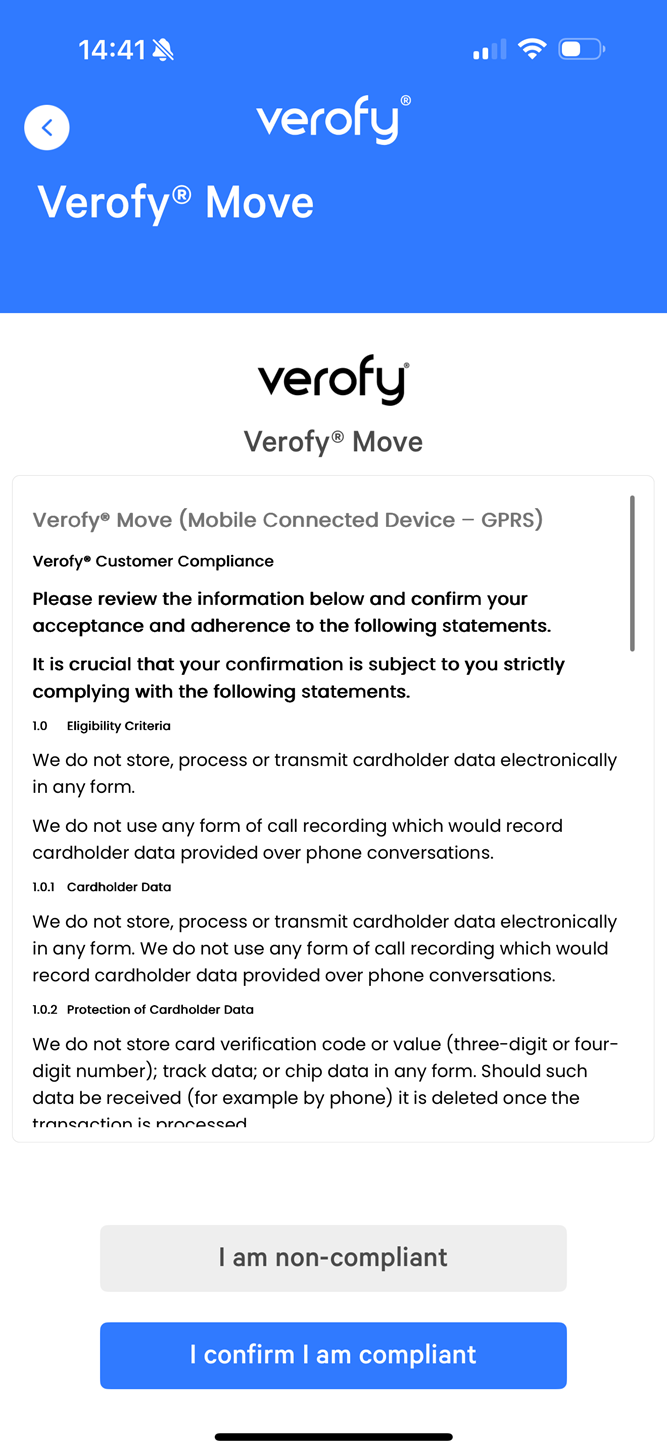
- To complete a document, click into the record, read through the information and then confirm if you are compliant or not by selecting the relevant button.
- When you select your compliance status, you'll see a pop up asking you to confirm your selection. An example is shown below.
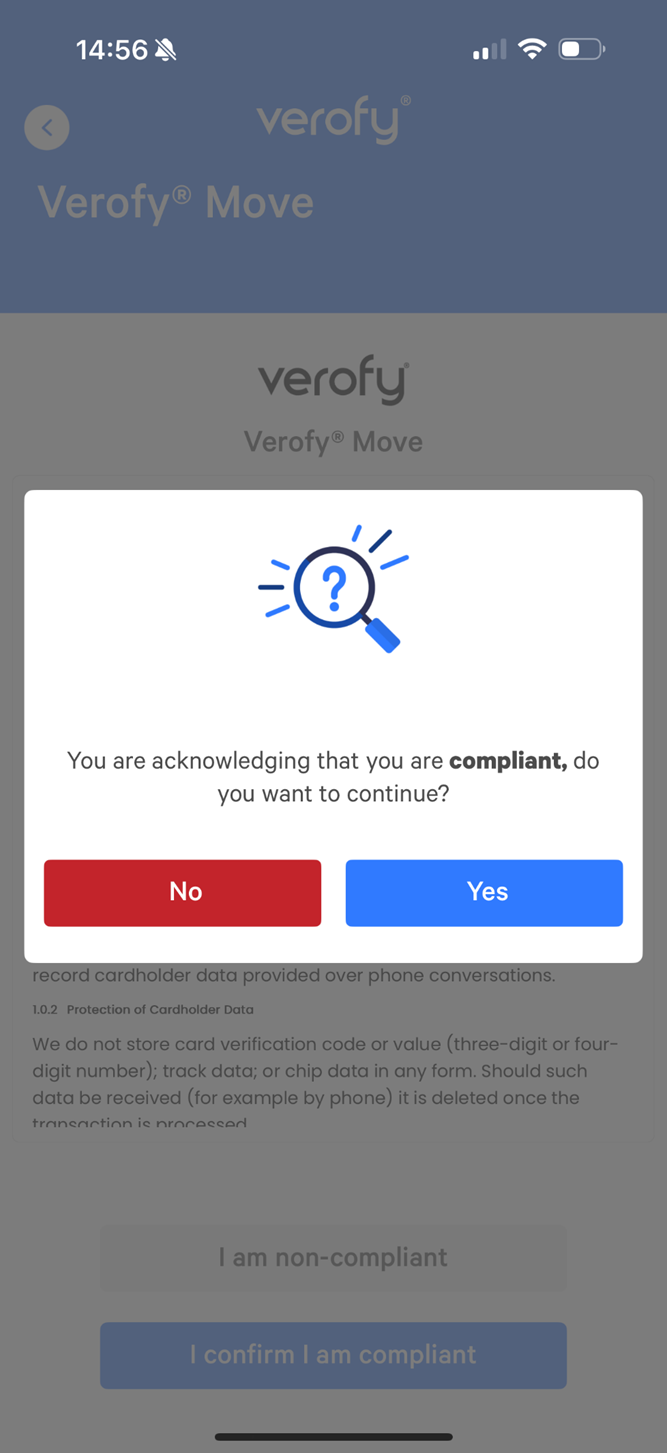
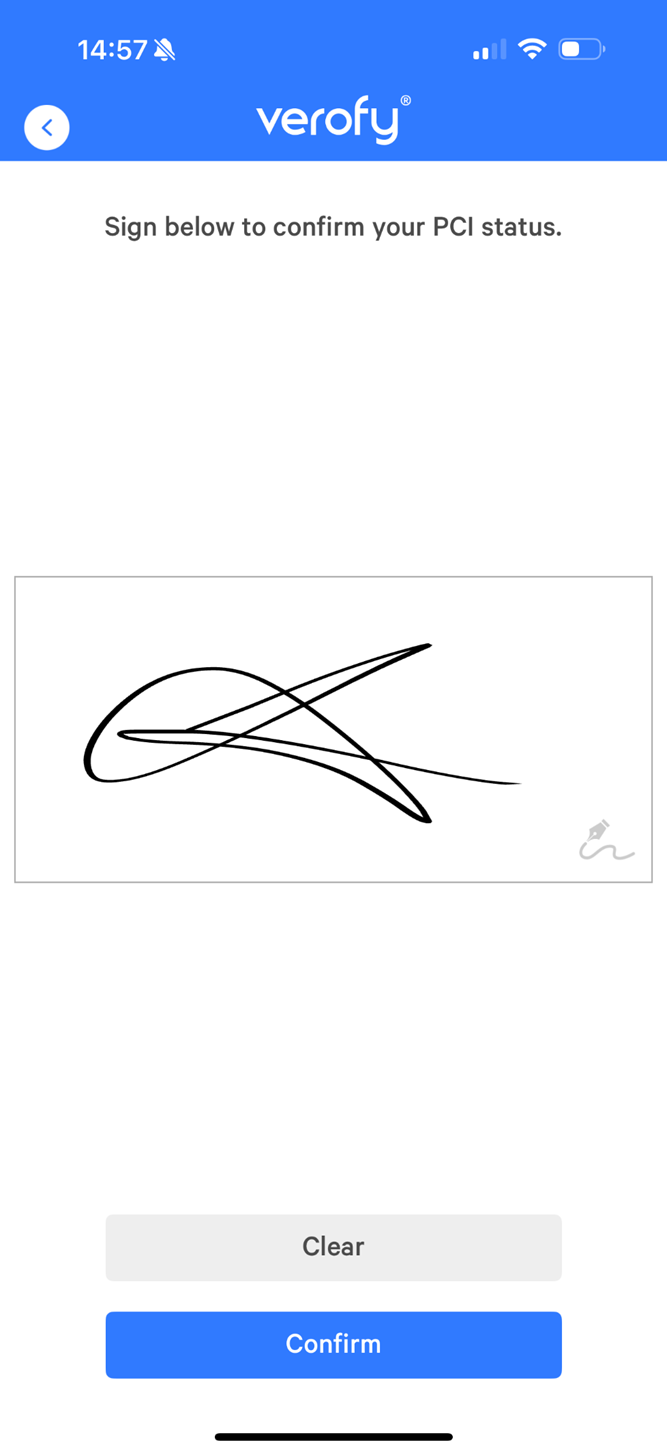
- If you select yes, you'll then be prompted to sign on the glass to confirm your PCI status. Once you're ready, press Confirm.
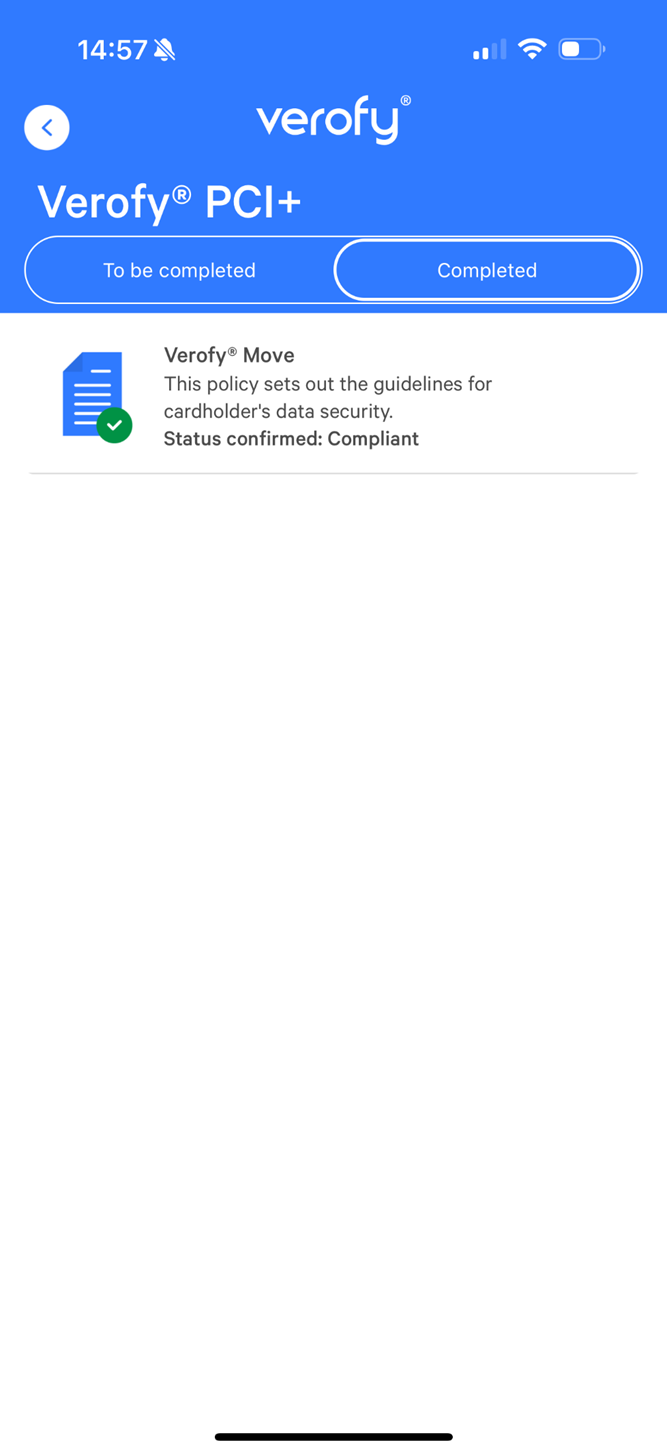
- Once completed, you'll see the document move into the Completed tab.
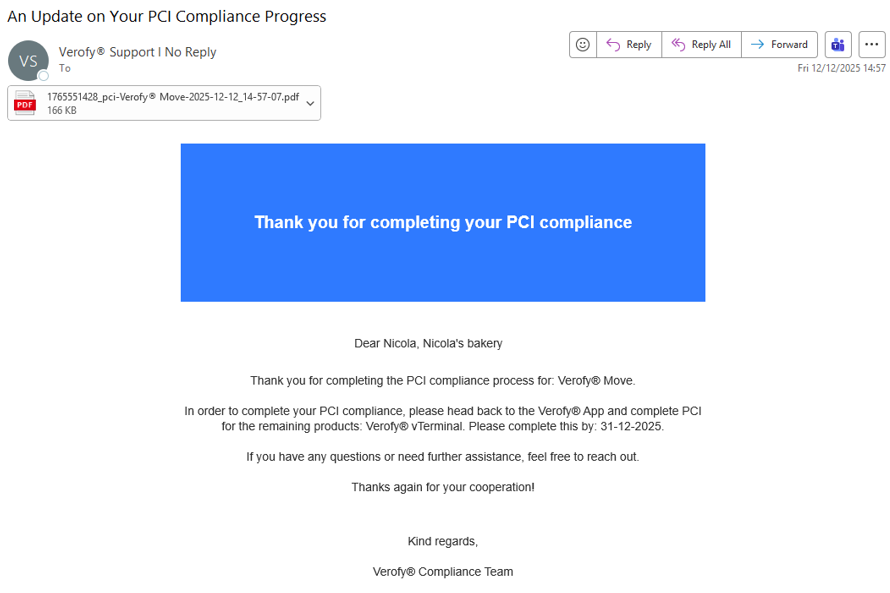
- You'll receive email notification to complete the PCI has been completed for that document, and also to remind you if there are further products you need to confirm your compliance for. The email will also include an attachment with the completed PCI status certificate.
Remember: If you fail to complete your compliance before the deadline, or confirm you're non-compliant, you'll be charged a non-compliance fee.